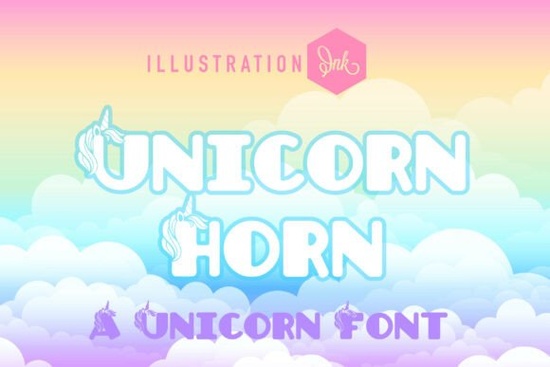
When working on projects for children, finding the right typography sets the mood immediately. The Unicorn Horn Font offers a whimsical touch that standard sans-serifs cannot match. It features chunky letterforms with actual unicorn heads built into the design. This specific style helps designers create instant magic without needing to draw custom illustrations for every headline. If you are creating birthday invitations or nursery art, this typeface provides a ready-made theme that resonates with kids and parents alike.
What makes this typeface stand out for kids' projects?
The visual appeal lies in the details. Each letter is soft and extra-rounded, mimicking the safety and comfort associated with children's products. Unlike sharp or aggressive display fonts, this one feels friendly and approachable. The defining feature is the majestic unicorn heads and spiraling horns emerging from the upper stems. These elements are hand-drawn, giving them an organic feel rather than a rigid, computer-generated look. This bridges the gap between classic fairy tale storybooks and modern children's lifestyle branding. You get the nostalgia of old storybooks with the clean lines required for modern print-on-demand items.
Color plays a huge role here. The font is designed to float effortlessly against pastel clouds and soft rainbow gradients. When you use it, you do not need to add many extra decorative elements. The typography does the heavy lifting. For crafters making planner sticker packs, this means less time drawing borders and more time focusing on layout. It is a delightfully chunky novelty display typeface that holds attention without being difficult to read.
Where does this font work best in real-world designs?
Independent creators often ask where they can apply such a specific style. The answer covers a wide range of physical and digital products. It is the premier choice for independent kids' birthday party stationery. Imagine a invite card where the child's name is written in these magical letters; it instantly tells the guest what theme to expect. Custom nursery wall decor is another strong use case. Parents looking for non-generic art for their child's room often search for unique typography that feels personal.
Boutique toy shop packaging also benefits from this look. If you sell handmade dolls or wooden toys, the label needs to match the quality of the item. High-impact social media headlines work well too, especially for Instagram posts targeting moms or teachers. However, if you need something less decorative for body text, you might explore styles similar to playful display options that offer better readability for longer paragraphs. Balancing a decorative header with a clean body font ensures your design remains professional.
How do you pair it with other typography?
Mixing fonts can be tricky when one is as detailed as this. The key is contrast. Since the unicorn letters are busy and rounded, pair them with something simple and geometric. For a sharper contrast, maybe look at modern geometric styles to keep the layout grounded. This prevents the design from looking too childish or messy. You want the unicorn font to be the star, not the only actor on the stage.
Sometimes you need initials for logos or monograms. In those cases, clean monogram tools like simple initial fonts can complement the main display text. If the vibe feels too soft for your specific brand, try edgier alternatives for a secondary accent, though this works best for older kids' apparel rather than nursery decor. Always test your combinations in black and white first to ensure the shapes work together before adding color.
Is it suitable for commercial licensing?
Most designers on Creative Fabrica offer commercial licenses, but you must check the specific terms for each download. Generally, these fonts allow you to use them on physical end products you sell, like shirts or mugs. You can find more details on the Unicorn Horn display fonts page regarding specific license types. Always read the readme file included in the download zip. This protects your business and ensures you respect the creator's work. For more on typography licensing standards, you can reference external guides on Unicorn Horn Font usage rights.
Installation is usually straightforward. Most files come in OTF or TTF formats, compatible with Windows and Mac. Once installed, the font appears in your design software like Cricut Design Space, Canva, or Adobe Illustrator. Remember that novelty fonts can sometimes have unique kerning pairs. Adjust the spacing between letters manually if the unicorns feel too crowded. Good whitespace ensures the magical horns do not overlap with neighboring characters.
Quick Checklist Before You Download
- Check License: Verify if commercial use is allowed for your specific product.
- Test Readability: Type out long words to ensure the horns do not clash.
- Pair Wisely: Select a simple sans-serif for body text to balance the display font.
- Format Compatibility: Ensure the file works with your cutting machine or design software.
- Color Contrast: Use dark text on light backgrounds to make the details pop.
Taking these steps ensures your final product looks polished and professional. Whether you are making a single gift or running a full shop, the right tools make the process smoother. Focus on how the font makes the viewer feel, and let the magic of the design do the rest.
Download Now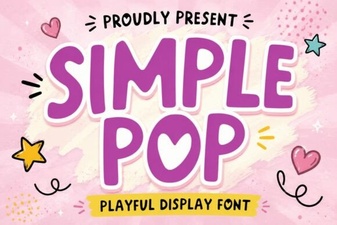 Simple Pop Fonts for Fun and Functional Design
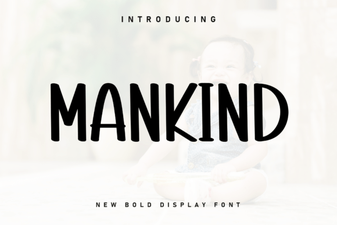 Mankind Font: Design Ideas & Download Guide
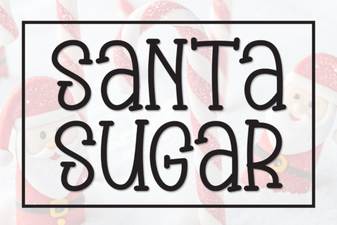 Santa Sugar Font: Festive Design Inspiration
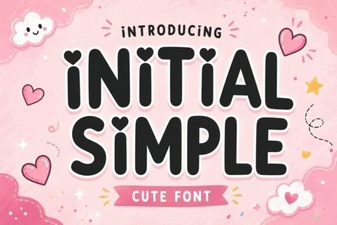 Simple Font Designs for Creative Projects
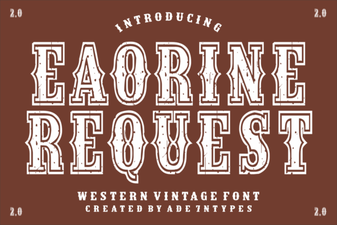 Eaorine Font Request for Modern Design Projects
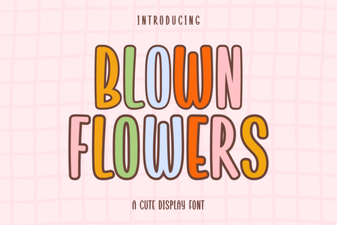 Craft Elegant Designs with Blown Flowers Font