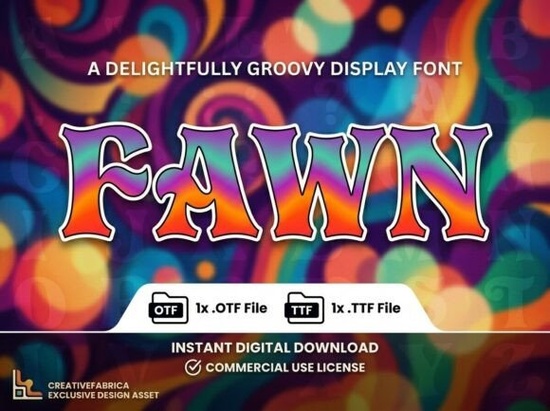
If you are looking for a typeface that instantly grabs attention, you need something with a strong visual personality. The Fawn Font is exactly that kind of tool. It isn't meant for long paragraphs of body text; instead, it shines when you need a bold statement on a logo, a product package, or a social media graphic. This typeface is designed to be the center of attention, featuring unique artistic elements that help your brand break away from ordinary, standard typography.
For creators who want to add a touch of elegance without losing impact, this font offers a polished finish that feels professional yet creative. Whether you are a small business owner designing your own labels or a graphic designer working on a client's branding kit, having a reliable display font in your toolkit is essential.
What kind of projects work best with this typeface?
Because this font has such a distinct character, it works best in situations where you have limited space but need to make a big impression. It is versatile enough to handle various creative tasks while maintaining a cohesive look. Here are a few specific ways you can use it:
- Logos and Branding: The artistic details in the letters make them stand alone beautifully. This is perfect for boutique shops, beauty brands, or artisanal food products.
- Packaging Design: If you are selling handmade soaps, candles, or crafts, this font adds a premium feel to your labels.
- Bold Headlines: Use it for the main title on a poster, a wedding invitation, or a YouTube thumbnail where you need the text to pop against a background.
- Decorative Initials: Since every letter is designed like a piece of art, you can use a single large initial to start a blog post or a formal letter.
If you enjoy working with this style, you might also want to explore other decorative fonts that share similar artistic traits to build a complete library for your design projects.
Is it difficult to use if it only has capital letters?
One important detail to note before you download is that this is an ALL-CAPS display typeface. It does not include lowercase letters. For some beginners, this might seem like a limitation, but for professional designers, this is often a preferred feature for specific use cases.
When designing a logo or a headline, mixing uppercase and lowercase letters can sometimes create uneven visual weight. By using an all-caps font, you ensure that every letter has the same height and impact. This creates a solid, uniform block of text that is easier to read at a glance and looks more structured. It forces you to focus on spacing and layout, resulting in a cleaner, more high-impact design. It is specifically engineered for those moments where every letter needs to be a work of art.
What technical files are included?
When you purchase this product, you receive the standard file formats needed for modern design workflows. You will get both an OTF file (OpenType Font) and a TTF file (TrueType Font).
The OTF file is the professional standard. It supports advanced layout features and is ideal for software like Adobe Illustrator, Photoshop, or InDesign. The TTF file ensures universal compatibility, meaning you can install it on almost any device or operating system without issues. This dual-format approach ensures that whether you are working on a high-end Mac or a standard PC, your design process will be smooth.
How do I pair this with other fonts?
Since Fawn Font is so decorative and bold, the secret to using it well is contrast. You should pair it with a simple, clean sans-serif font for your body text or subtitles.
For example, if you use this font for a large "Summer Sale" headline on a flyer, use a thin, plain font for the date and location details underneath. This prevents the design from looking too busy. The decorative nature of the main font does the heavy lifting, while the secondary font provides clarity and readability.
Quick Checklist for Using Display Fonts
Before you finalize your design, run through this quick list to ensure you are getting the best results:
- Check the Kerning: Decorative fonts often need manual adjustment. Make sure the space between letters looks even, especially with unique shapes.
- Limit Usage: Use this font for headlines only. Do not try to write long sentences with it, as it can become hard to read.
- Test on Backgrounds: Ensure the intricate details of the letters are visible against your chosen background color or image.
- Verify Licensing: Always check if your intended use (like selling a physical product with the font on it) matches the license terms provided by the creator.
By understanding the strengths of an all-caps display font, you can create branding and marketing materials that feel intentional and high-quality. It is a simple switch that can make a significant difference in how your audience perceives your work.
Try It Free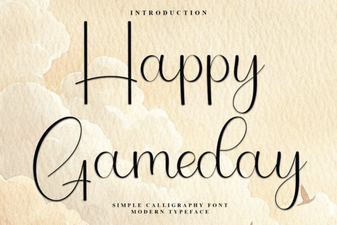 Spark Your Sports Event Designs with Happy Gameday Font
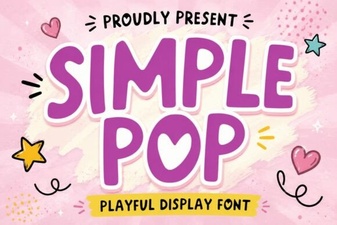 Simple Pop Fonts for Fun and Functional Design
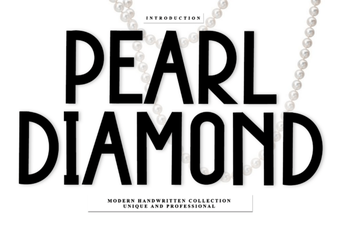 Pearl Diamond Fonts for Elegant Website Design
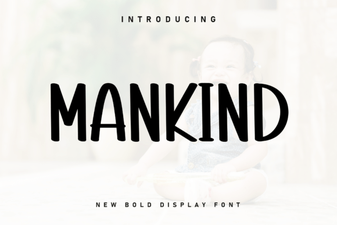 Mankind Font: Design Ideas & Download Guide
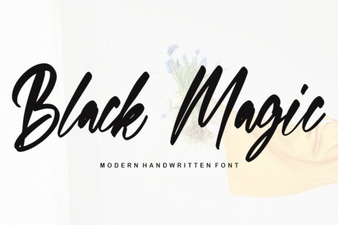 Black Magic Font: Design Tips & Creative Uses
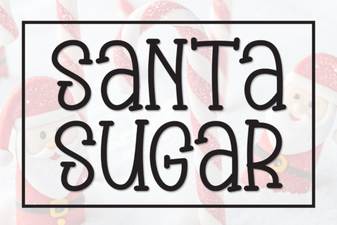 Santa Sugar Font: Festive Design Inspiration